This post is a direct sequel to “The Private Agent” and it lands less than 48 hours after Apple’s March 3–5, 2026 hardware sprint. The new MacBook Pro family, the refreshed Air, and the ultra-portable Neo now give OpenClaw operators a complete consumer-grade spectrum of “hands” and “brains” that never leave the local fortress.
Apple’s latest drop feels like a generational leap. The new M5 Pro and M5 Max chips stitch two dies together in a Fusion Architecture, baking a Neural Accelerator into every single GPU core. With over 4× the peak AI compute of the M4 generation, faster SSD throughput, and massive unified memory bandwidth, the hardware is finally catching up to the agentic revolution. If you’ve been waiting for the right moment to build a local, private AI stack, this is it.
At the same event, Apple updated the MacBook Air with the full M5 chip (10 CPU cores, 10 GPU cores, 512GB base storage, and Wi‑Fi 7). But the real surprise was the 13‑inch MacBook Neo. Powered by the A18 Pro with 8GB of RAM and starting at just $599, it’s the perfect, secure “hands-only” client that syncs seamlessly with heavier “brains” running on Pro or Max hardware.
 {: loading=“lazy”}
Apple is actively leaning into the local AI narrative. They’re billing the M5 Pro and M5 Max as having the world’s fastest CPU cores, designed specifically to accelerate local models. With pre-orders already open and units arriving on March 11, anyone with Mac hardware now has a clear, robust migration path for hosting LM Studio and OpenClaw behind safe, localhost defaults.
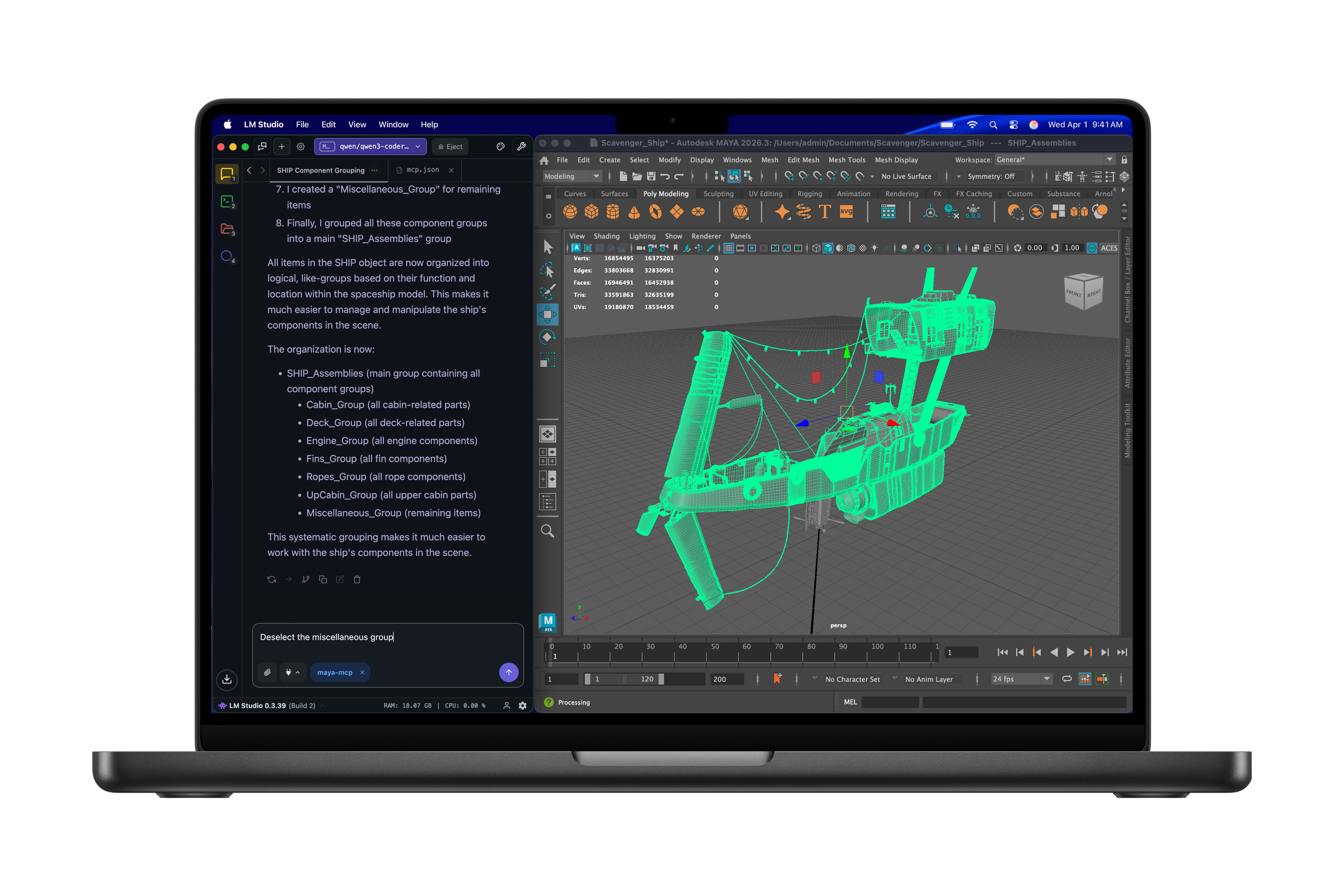
Apple even called out LM Studio in the product gallery, showing a code-heavy workflow that runs directly on the new Pro hardware. The cinematic below is the same clip Apple distributed to press, and it underscores the “local AI hero” narrative that makes OpenClaw’s secure, uncensored agent loops achievable on family-grade hardware.
The hardware gradient diagram
The diagram below maps each tier of the new Apple stack to the part it plays in a secure OpenClaw deployment. Your “hands” live on Neo and Air, the day-to-day “brain” runs on the M5 Pro, and the M5 Max becomes the workstation that hosts vector indexes, OCR, and multimodal ingestion—all without ever leaving the local loop.
The gradient lets you mix and match: Neo pairs with LM Link for encrypted remote control, Air keeps a quick local model for travel, the Pro hosts the planner and retriever, and the Max runs the high-bandwidth embeddings and tool-heavy snippets.
Key hardware stats that matter for OpenClaw swarms
- M5 Pro: 18-core CPU, 20-core GPU with Neural Accelerators per core, 64GB of unified memory at 307GB/s, 1TB SSD baseline—the everyday local brain for LM Studio + routing agents.
- M5 Max: 40-core GPU, 128GB at 614GB/s, 2TB storage. Keeps large quantized models, vector DBs, and multimodal pipelines resident without paging.
- M5 Air: Full M5 silicon with 10 CPU/10 GPU cores (Neural Accelerator), 512GB base SSD, and N1 Wi-Fi 7—an ultraportable inference edge with room for quantized Qwen weights.
- MacBook Neo: A18 Pro + 8GB RAM + 16hr battery. A tightly locked “hands-only” OpenClaw client that never opens ports yet still executes tool calls.
What the gradient buys OpenClaw
Apple’s hardware gradient lets you spread roles across consumer tiers without rewriting the modelProviders manifest. The new M5 Pro/Max chips host LM Studio, the Neo/Air endpoints stay locked to 127.0.0.1, and the router skill (or a dedicated router) decides whether a prompt should hit the 9B orchestrator on the Pro or the 40-core, 128GB beast on the Max.
When OpenClaw points to LiteLLM, ClawRouter, or ClawPane, those routers score every job on usage, latency, or cost before choosing the best LM Studio-loaded model, letting the same manifest serve dozens of agent roles without duplication. The Task Router skill queues work and tags jobs so you can keep onboarding simple while still benefitting from multi-role, multi-model routing.
Apple opened the floodgates on consumer silicon
The March 3 press release is explicit: M5 Pro and M5 Max are engineered for AI, with a Fusion Architecture that glues two dies together, high-bandwidth unified memory, and Neural Accelerators baked into every GPU core. Apple touts up to 4× faster AI prompt processing vs. M4 and up to 8× vs. M1, which translates to silky-smooth Qwen 3.5 interactions in LM Studio, tighter tool loops, and faster embeddings generation for OpenClaw’s retriever agents. Storage also doubled: every M5 Pro now starts with 1TB of SSD space, while M5 Max starts at 2TB, leaving room for multiple quantized models and local vector stores without hitting swap. Pricing starts at $2,199 for the 14‑inch M5 Pro and $3,599 for the 14‑inch M5 Max, anchoring the bespoke hardware that a secure OpenClaw brain demands (the 16‑inch variants follow at $2,699/$3,899, respectively).
MacBook Neo: the secure traveling “hands” node
Apple’s new $599 MacBook Neo is a 13-inch Liquid Retina device powered by the A18 Pro and 8GB of unified memory. It is fanless, works silently for 16 hours, and is big on color — which makes it ideal as the “hands only” OpenClaw endpoint. Use Neo to interact with OpenClaw’s UI, trigger local tools, and keep secrets locked in the agent workspace while the heavy lifting stays on a more powerful brain elsewhere.
MacBook Air M5: a portable inference edge
MacBook Air now ships with the full M5 chip, a 10-core CPU, a 10-core GPU with Neural Accelerators per core, and double the storage (512GB base, configurable to 4TB) paired with the new N1 Wi-Fi 7/Bluetooth 6 combo. The Air is a full local inference machine for OpenClaw: load a quantized Qwen 3.5 orchestrator, keep a small embedding model running, and offload long contexts only when absolutely necessary.
MacBook Pro M5 Pro: the everyday local brain
M5 Pro raises the bar with a new CPU that boasts the world’s fastest performance core, a next-gen GPU with a Neural Accelerator in every core, unified memory up to 64GB with 307GB/s of bandwidth, and storage that reaches 1TB out of the box. This is the laptop that hosts LM Studio, the Qwen 3.5 planner, and the OpenClaw swarm coordinator. It keeps multiple agent loops (router, coder, librarian) responsive even when LM Studio juggles gigabytes of context.
MacBook Pro M5 Max: the workstation fortress
M5 Max doubles the resources again: up to 40 GPU cores, 128GB of unified memory, 614GB/s of bandwidth, and 2TB of base storage. This configuration can keep large quantized weights, embedding trees, and OCR pipelines resident in memory while OpenClaw orchestrates multi-model RAG work, video processing, and multimodal ingestion without yielding control to a distant cloud endpoint.
Secure and uncensored by default
With the new hardware gradient in place, OpenClaw’s hardened defaults keep every inference loop inside the fortress. The gateway binds to 127.0.0.1 by default, secrets stay inside the OS keychain, and sensitive tools are sandboxed per agent to ensure data never leaks to the outside world. When you combine those defaults with the new MacBook tiers, you get a local agent stack that is both fully capable and fully uncensored.
The OpenClaw security guide explicitly calls out keeping the gateway on localhost, auditing every skill, and using LM Link or encrypted tunnels when remote clients connect, so the Neo/Air nodes never expose a public endpoint. Microsoft’s posture guidance adds that identity, isolation, and runtime guards should stay in your checklist before you scale up, reinforcing the locked-down mindset.
Action checklist for the refreshed stack
- Keep the gateway bound to
127.0.0.1, audit every skill, and tunnel Neo/Air clients over LM Link, Tailscale, or another encrypted channel so the only reachable endpoint is the Pro/Max brain running LM Studio. - Register LM Studio as the single
modelProvidersentry in OpenClaw’s manifest so every agent uses the same provider, and let the router skill rewritemodelbefore hittingllmster. - Add LiteLLM, ClawRouter, or ClawPane between OpenClaw and LM Studio to automate usage-, latency-, and cost-based routing without changing each agent’s manifest entry.
- Bring the Task Router skill online to tag work, reroute failed jobs, and keep the multi-agent manifest DRY even as the swarm grows.
- Keep the M5 Air/Neo nodes as read-only “hands” clients and let the Pro/Max hardware host LM Studio so tool-heavy workflows never leave the local vault.
Looking ahead to M5 Ultra
The same iOS 26.3 beta code that exposed the T6052/H17D identifiers tells us an M5 Ultra chip with 512GB+ of unified RAM is on the roadmap, which will keep dozens of quantized models resident without spilling to disk. The trade-off is the price: a maxed-out M3 Ultra Mac Studio already cost $14,099, so the M5 Ultra is almost certainly a five-figure investment, making the $2k M1 Max the smarter “private agent” starting point for most teams.
Sources
- Apple introduces MacBook Pro with all-new M5 Pro and M5 Max (March 3, 2026)
- Apple introduces the new MacBook Air with M5
- Say hello to MacBook Neo
- Is OpenClaw Safe? A Practical Security Guide for Users
- Running OpenClaw safely: identity, isolation, and runtime risk (Microsoft Security Blog)
- LiteLLM routing docs (routing strategies, usage-based, least-busy)
- ClawRouter — LLM Router for OpenClaw | BlockRun
- ClawPane — Smart Model Routing for OpenClaw
- Task Router Skill — ClawHub Skills Library
- OpenClaw + Qwen guide (OpenClaw Launch)
- New M5 chips spotted in iOS 26.3 beta (MacRumors)
- Apple leaks its own MacBook Pro reveal: M5 Max and M5 Ultra chips found in latest beta (Tom’s Guide)
- A maxed-out M3 Ultra Mac Studio will cost $14,099 (MacRumors)